Bilateral filtering
HDR tone mapping
Compress a high-dynamic-range photograph for a regular display while preserving detail in its bright and dark regions.
Try it
Runs locally in your browser. Uploaded images stay on your device.
Compare the tone-mapped image with a plain exposure, or inspect the separated base and detail layers. Upload a Radiance .hdr file.
Ready when you are.
Worker processing · local inputs · downloadable output
How it works
Compare the tone-mapped image with a plain exposure, or inspect the separated base and detail layers. Upload a Radiance .hdr file.
- Decode RGBE pixels into linear floating-point radiance.
- Separate log intensity into an edge-preserving bilateral base and a detail residual.
- Compress only the base, reintroduce detail and color ratios, then encode for an sRGB display.
Read the original research
Frédo Durand & Julie Dorsey · 2002
Computed examples
Outputs from the same implementation used in the playground.
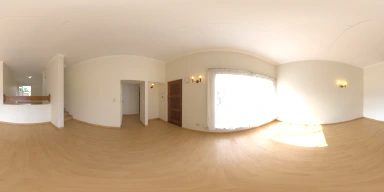
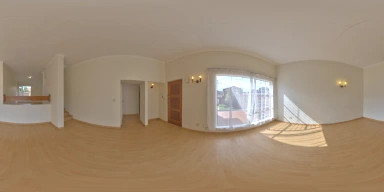
The source is Lebombo by Greg Zaal, from Poly Haven, released under CC0. Both previews are calculated from the same floating-point radiance values, not from an artificially brightened JPEG.
Implementation and limits
Uses a direct, spatially sampled bilateral filter at preview resolution rather than the paper’s accelerated implementation. Sample HDR: Lebombo by Greg Zaal, Poly Haven, CC0.
Interactive settings are bounded to keep the experiment practical in a browser. Higher detail can cost more processing time without guaranteeing a better result. The implementation and its tests are available in the source repository.