Spatial-frequency filtering
Hybrid images
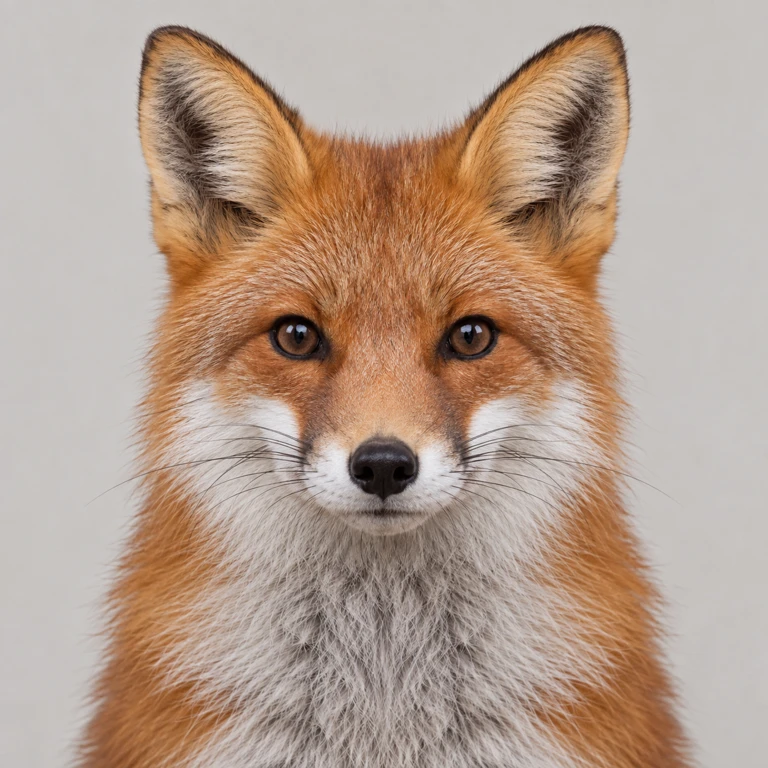
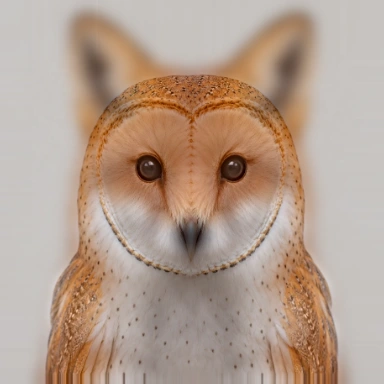
Combine a fox’s broad features with an owl’s fine detail. Look closely, then shrink the result to see which portrait comes forward.
Try it
Runs locally in your browser. Uploaded images stay on your device.
Compare the large result with the small distance preview. Align the eyes before adjusting the frequency cutoff.
Ready when you are.
Worker processing · local inputs · downloadable output
How it works
Compare the large result with the small distance preview. Align the eyes before adjusting the frequency cutoff.
- Low-pass filter the first image with a Gaussian kernel.
- Subtract a Gaussian-blurred version from the second to isolate high frequencies.
- Align and add the two frequency bands, then inspect the result at different sizes.
Read the original research
Oliva, Torralba & Schyns · 2006
Computed examples
Fox structure stays visible at a small viewing size; owl detail becomes clearer up close.
Source photographs were generated for these studies. The displayed results were computed by the algorithms; they are not generated illustrations of an expected result. Published previews are compressed for the web.
Implementation and limits
Perception depends on alignment, contrast, display size, and viewing distance. Not every pair produces a convincing switch.
Interactive settings are bounded to keep the experiment practical in a browser. Higher detail can cost more processing time without guaranteeing a better result. The implementation and its tests are available in the source repository.